> For the complete documentation index, see [llms.txt](https://docs.boltai.com/docs/llms.txt). Markdown versions of documentation pages are available by appending `.md` to page URLs; this page is available as [Markdown](https://docs.boltai.com/docs/ai-command/instant-command.md).
# Instant Command
### What is the Instant Command?
In BoltAI, an AI Command consists of pre-defined configuration, system instruction and behavior. An Instant Command\* allows you to type your prompt and start chatting right away.
Using an Instant Command
### How to configure this Instant Command?
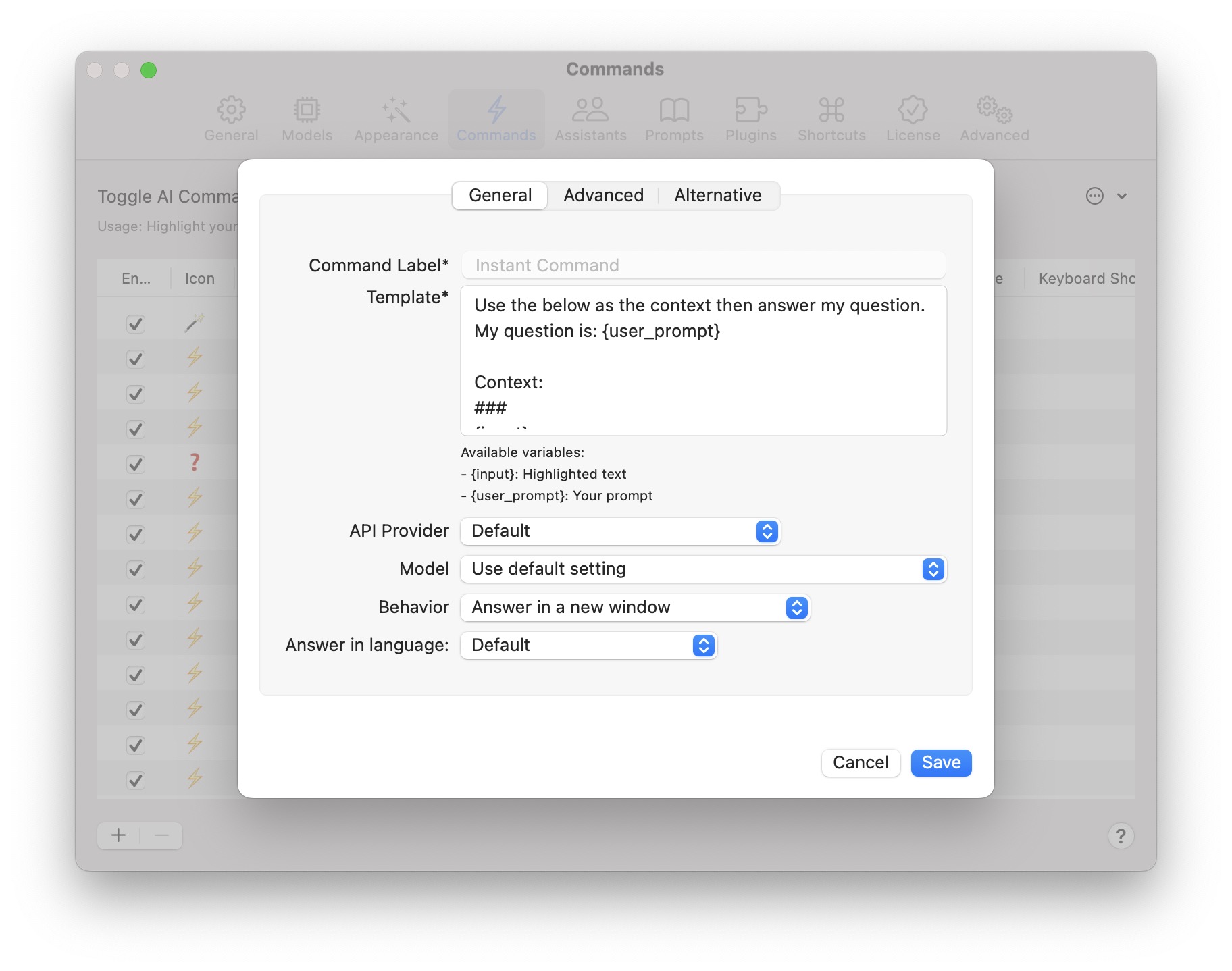
To configure the Instant Command, go to **Settings > Commands**. Locate the elipsis button, choose **Edit Instant Command**
Edit the Instant Command
Instant Command works similarly to other AI commands. It supports 2 variables:
* `{input}` the currently highlighted text
* `{user_prompt}` your prompt
{% hint style="info" %}
You can omit the `{input}` variable from the `Template` if you do not wish to work with the highlighted text.
{% endhint %}