BoltAI 3: agents, local AI models and Image Studio
BoltAI is a native Mac app for using ChatGPT, Claude, Gemini and more in one place, with your own API keys and a one-time license.
BoltAI 3 adds agents that get work done on your Mac: they browse in Chrome, use the apps you allow and run skills. It also runs local AI models, with no account or API key.
Hi everyone. BoltAI 3 is out today. If you use BoltAI 2 and your updates are active, it's a normal update, and your chats, projects and settings are all there. If you're new here, this is a short tour of what the app does now.
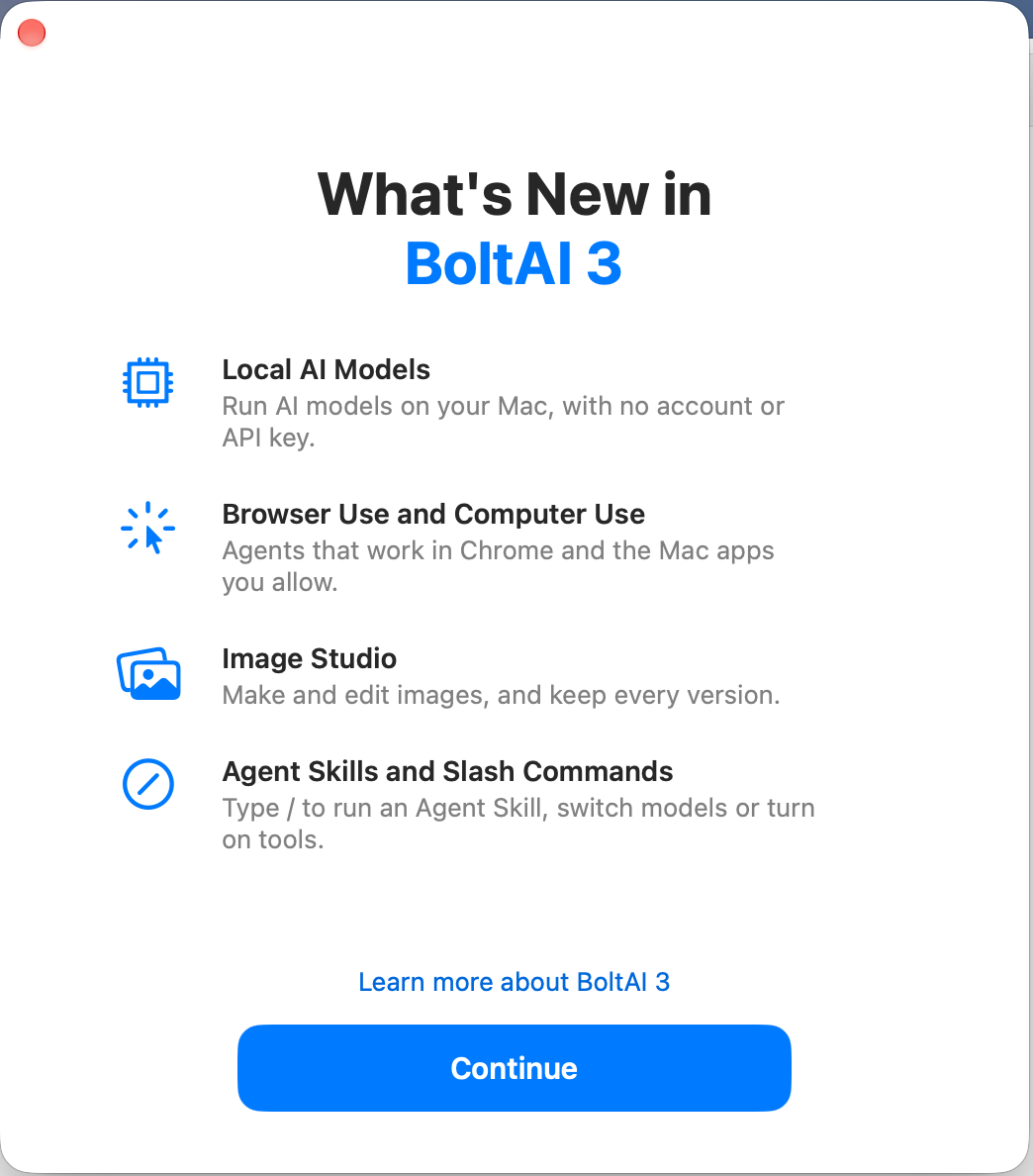
What's New in BoltAI 3
TL;DR:
- Local AI models. Run models on your Mac, with no account or API key.
- Agents that do the work. Browser Use and Computer Use (Labs) let BoltAI work in Chrome and the Mac apps you allow.
- Agent Skills. Teach BoltAI a task once, then run it with /.
- Image Studio. Make and edit images with many models, and keep every version.
- EPUB books, Multi-step Workflows, Raycast and Alfred, and the bolt command-line tool.
Local AI models
You can now run AI models on your own Mac. No account, no API key, and your messages aren't sent to an AI provider.
Open Settings › AI Providers › Local Models, pick a model marked Runs well on this Mac and click Download. When it's done, pick it in the model picker like any other model. Each model says how well it fits your Mac, from Runs well to Too large.
For anything recent, turn on DuckDuckGo Search in the chat's Tools menu. A local model can then search the web too, still with no API key.
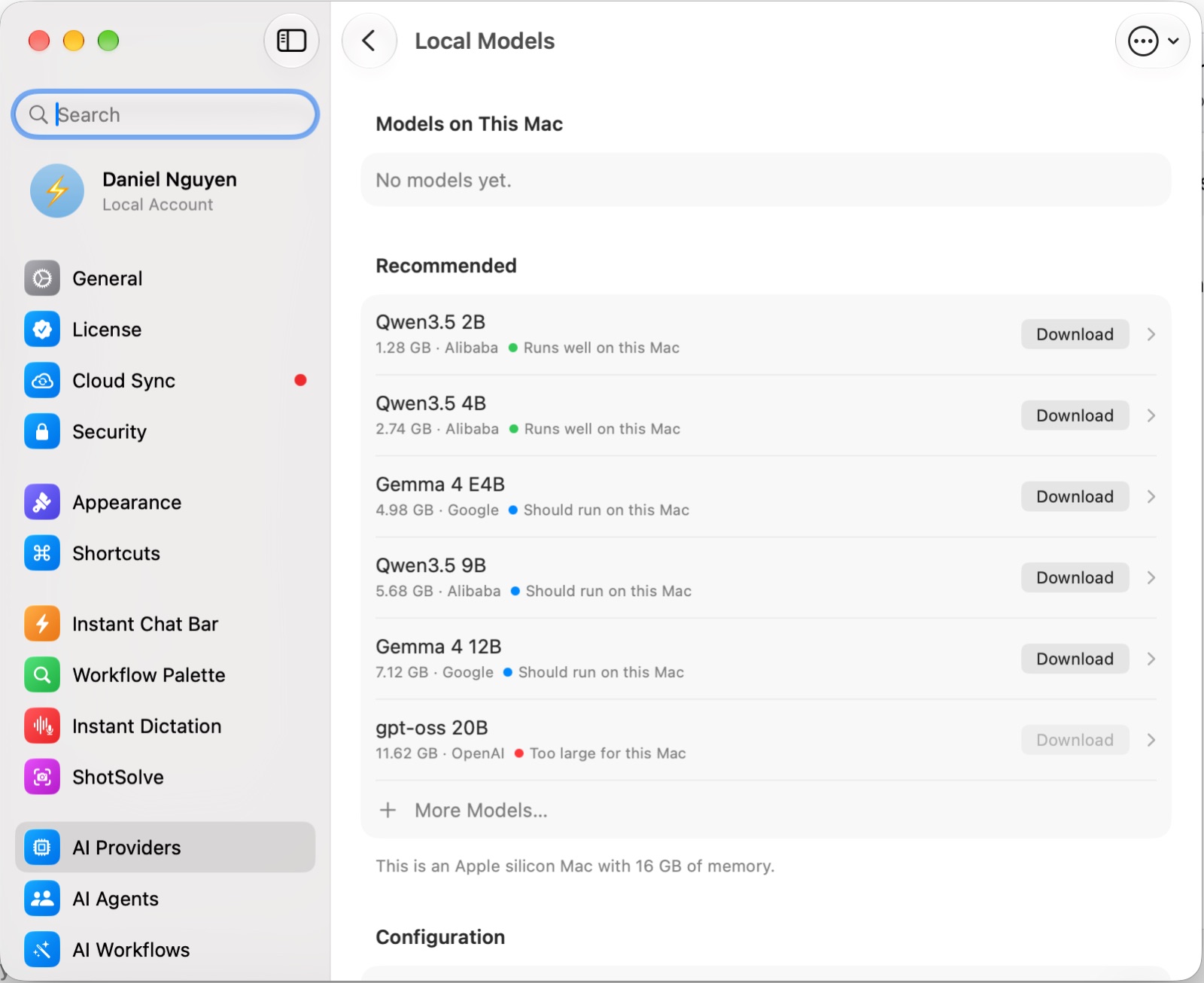
Local Models in Settings
Agents in Chrome and your Mac apps
This is the biggest change in BoltAI 3: agents can now do the work for you.
With Browser Use, BoltAI opens pages in Chrome, reads them, clicks and types. With Computer Use, it works in the Mac apps you allow, such as Notes or TextEdit. Ask it to open the Apple Newsroom and list the latest headlines, and it goes and gets them.
Both are in Labs. Turn them on in Settings › Labs. Browser Use needs the BoltAI for Chrome extension. Each chat gets its own tab group in Chrome, so you can see what it opened, and BoltAI asks before it uses a new site or app.
Read more: Browser Use and Computer Use
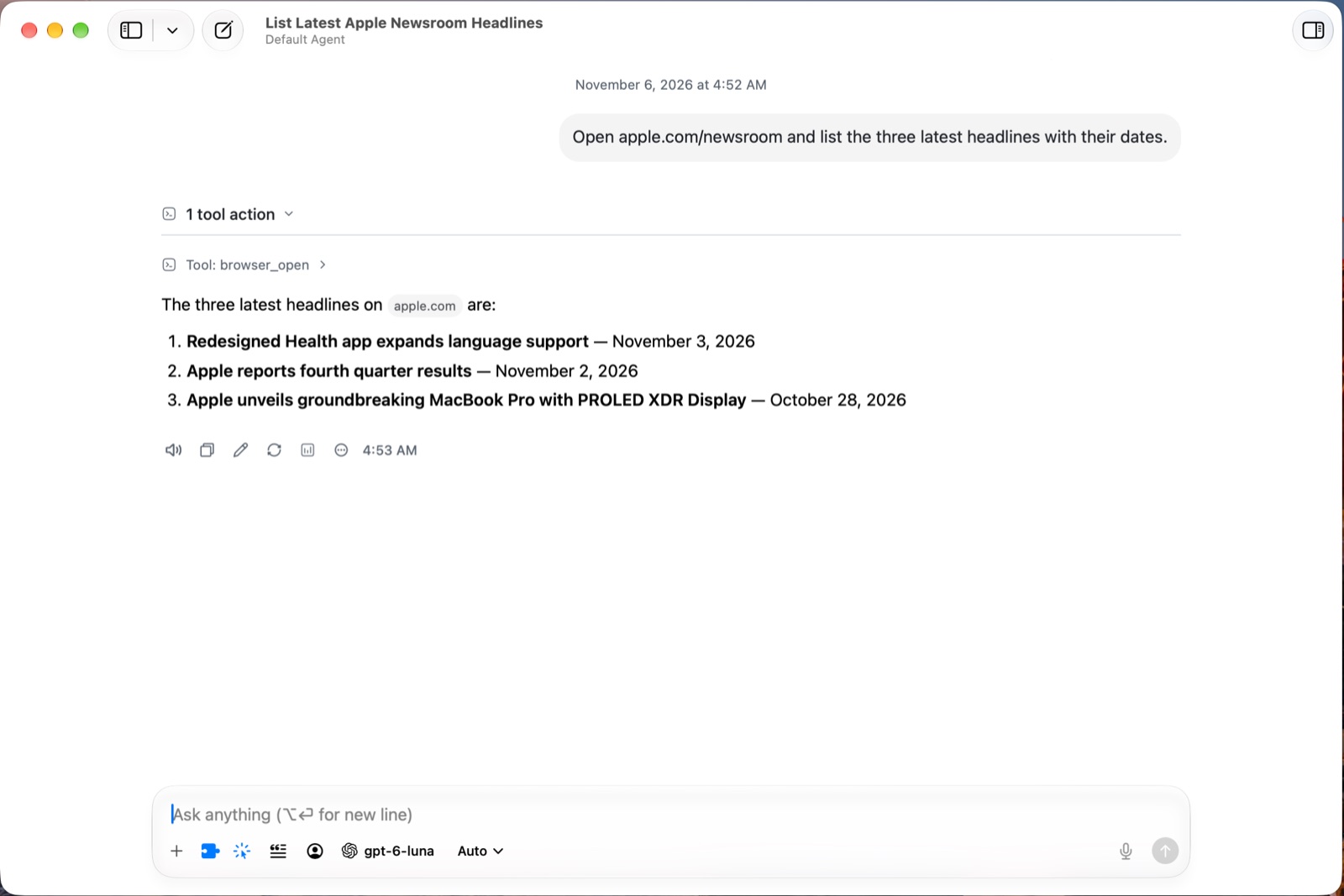
Browser Use: BoltAI reads a page in Chrome and answers
Agent Skills
An Agent Skill teaches BoltAI a task, such as writing release notes in your format, turning rough notes into meeting notes, or summarizing a book chapter by chapter. Each one is a folder with a SKILL.md file of instructions, and sometimes scripts.
Put your Agent Skills in ~/.agents/skills and turn them on in Settings › Agent Skills. Then type / in the message box and pick one. When tools are on, the model can also pick the right Agent Skill by itself. Scripts in an Agent Skill run in a sandbox on your Mac.
The same / menu changes the model or agent, turns tools on or off, and starts Browser Use or Computer Use.
Read more: Agent Skills · The message box
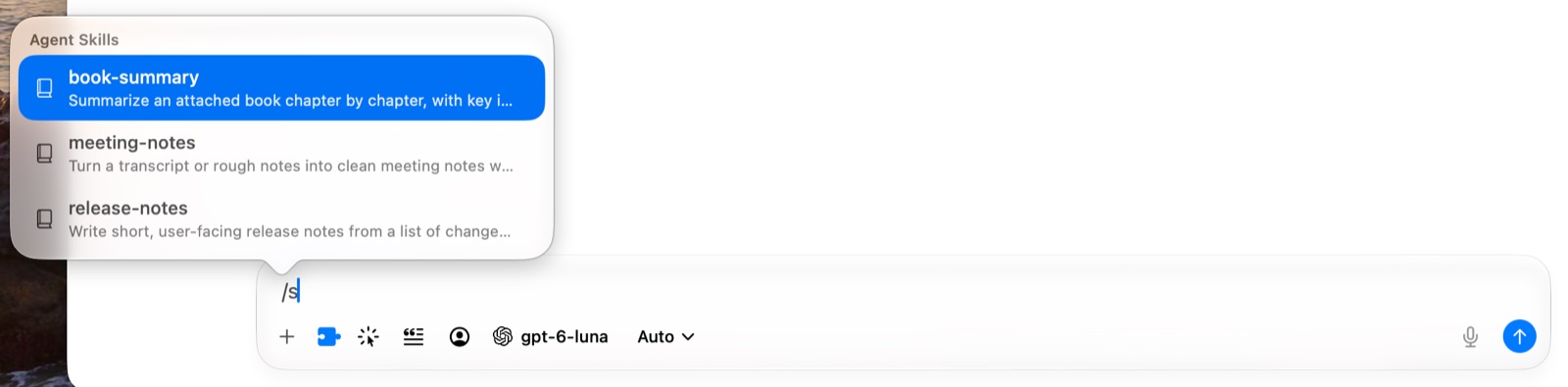
Type / to run an Agent Skill
Image Studio
Press ⌃⌘N for a new image chat. Pick a model from OpenAI, Google, xAI, Replicate or fal, describe what you want, and make up to four images at once. Run the same prompt on another model and compare them side by side.
Double-click an image to edit it, for example make it night time. Each edit becomes a new version, and you can step back through all of them. You can also add your own image as a reference for the style or the subject.
Like the rest of BoltAI, it uses your own API keys.
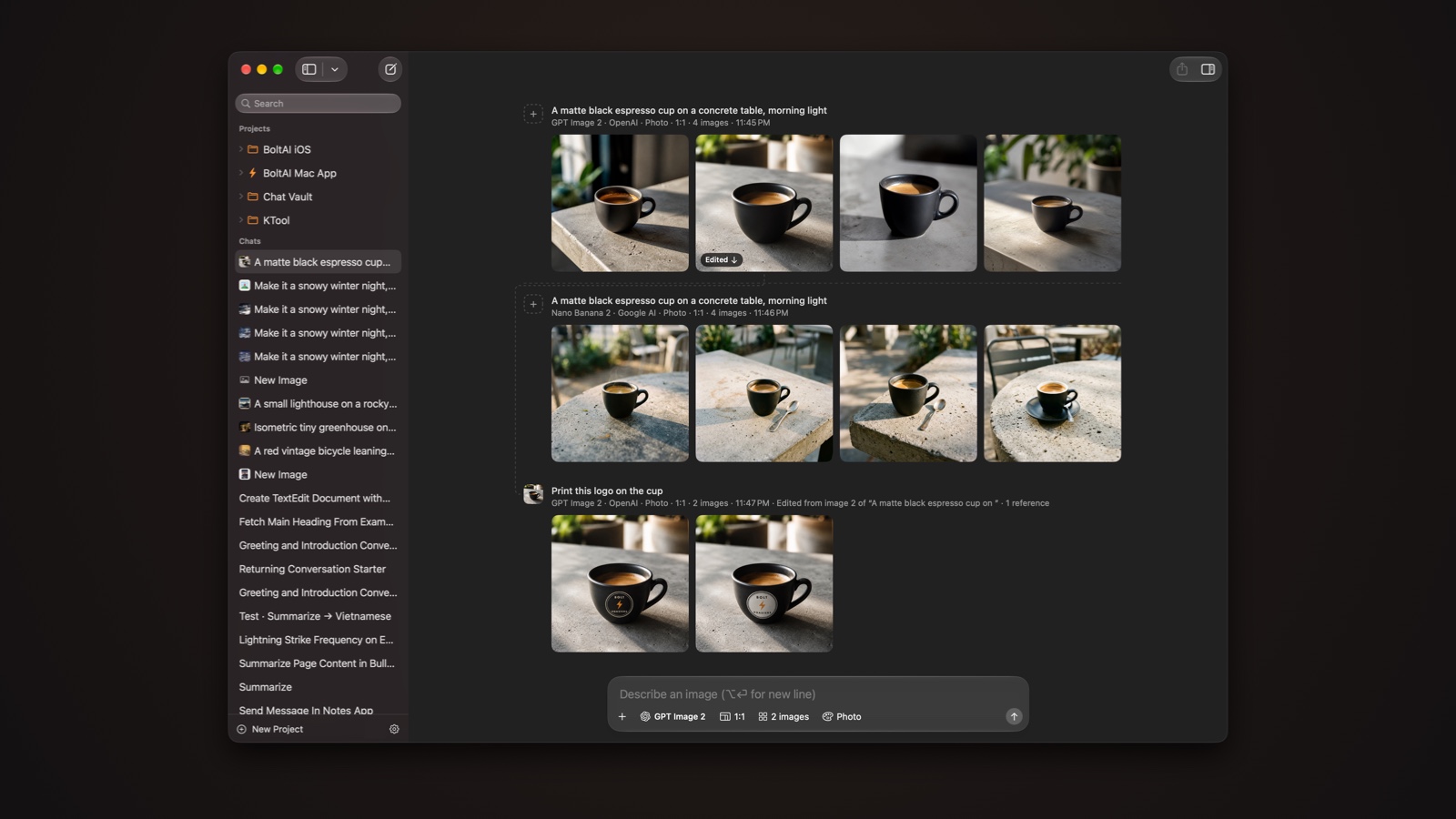
One prompt on two models, then an edit
EPUB books
Many of you asked for this one. Attach an EPUB and ask about the whole book: a summary, a character, or what a chapter says about a topic. It works with DRM-free books.
A whole book can be well over 100,000 tokens, so pick a model with a large context window for the best answers.
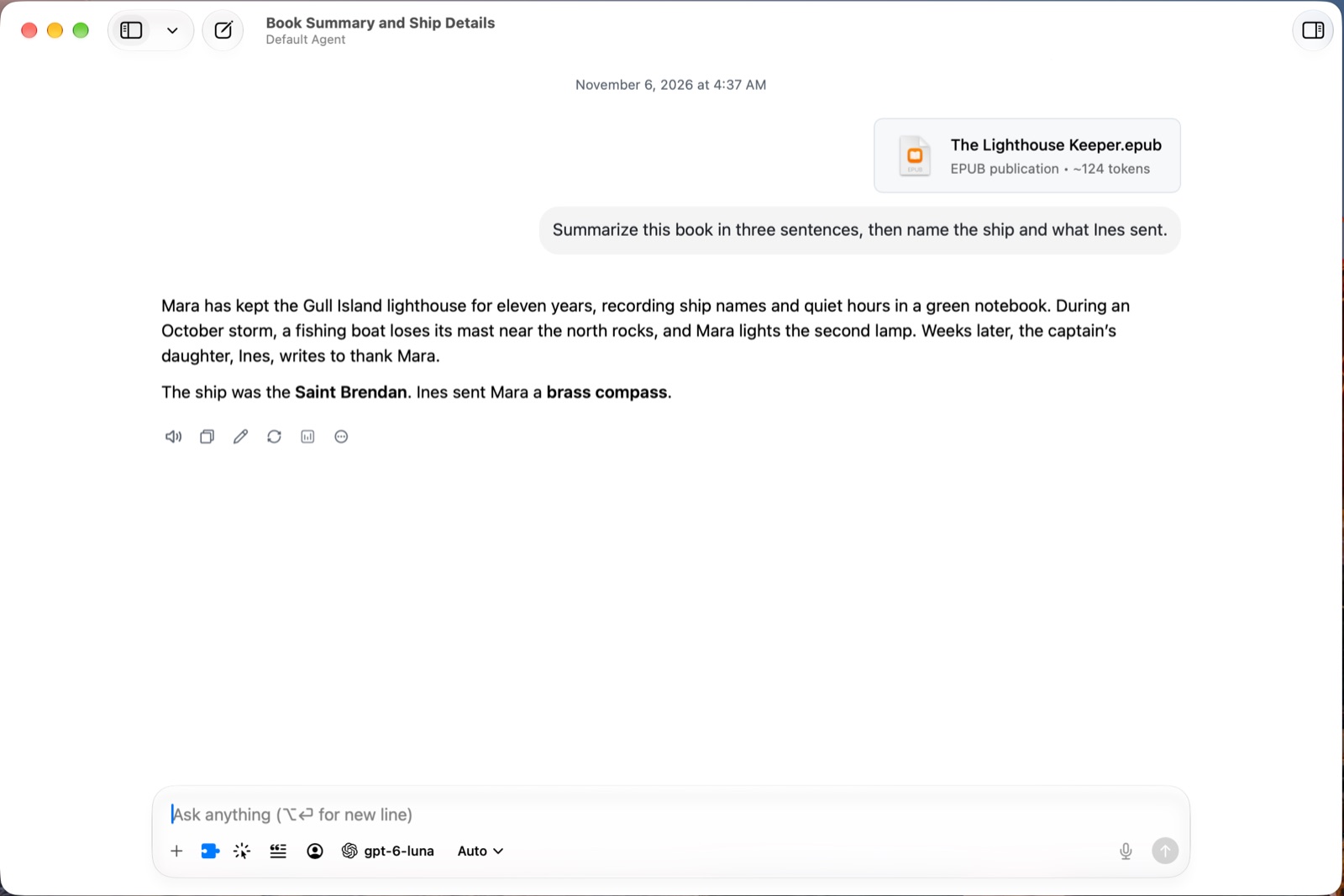
Ask about a whole book
AI Workflows and Multi-step Workflows
AI Workflows are saved actions for text in any app. Select text, open the Workflow Palette, pick Fix spelling and grammar or Summarize, and the result is pasted back or shown in a window.
New in BoltAI 3, Multi-step Workflows (Labs) run several workflows in a row, each on the result of the one before. Fix the grammar, then summarize, then copy the result. Give it its own keyboard shortcut, or run it from Terminal.
Read more: AI Workflows · Multi-step Workflows
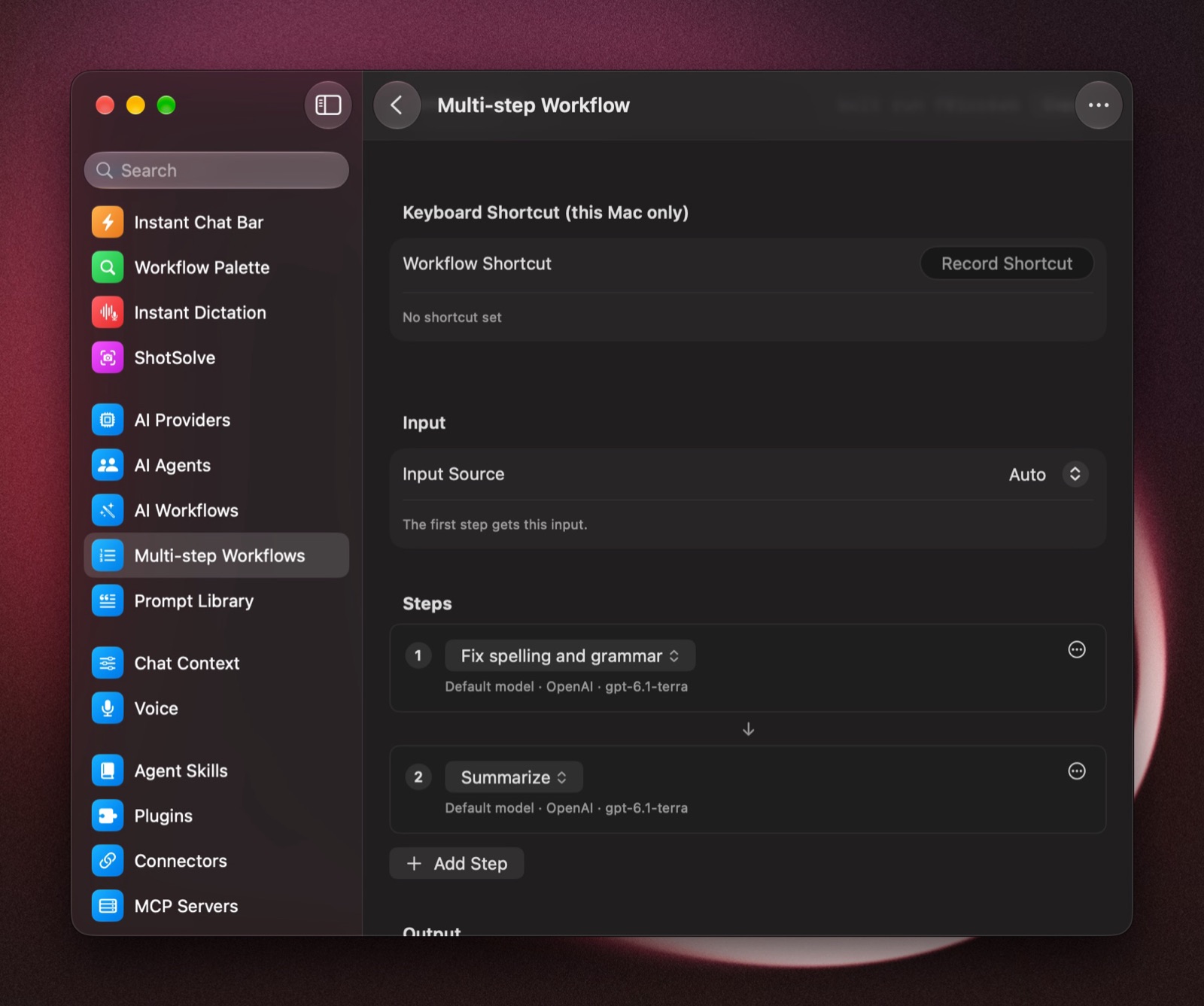
A Multi-step Workflow: fix spelling, then summarize
Raycast, Alfred and the bolt command line
You can use BoltAI without opening it. The Raycast extension and the Alfred workflow let you ask a question, run an AI Workflow on selected text, start a chat or paste a saved prompt. You'll find both in Settings › Labs.
For Terminal and your own scripts, there's bolt. Install it in Settings › General, then:
bolt ask "What's the capital of Portugal?"
bolt run fa935c49 "Text to work on"
Every AI Workflow has its own bolt run command, and the result is printed, so you can pipe it into a file or another command.
Read more: Raycast · Alfred · The bolt command-line tool
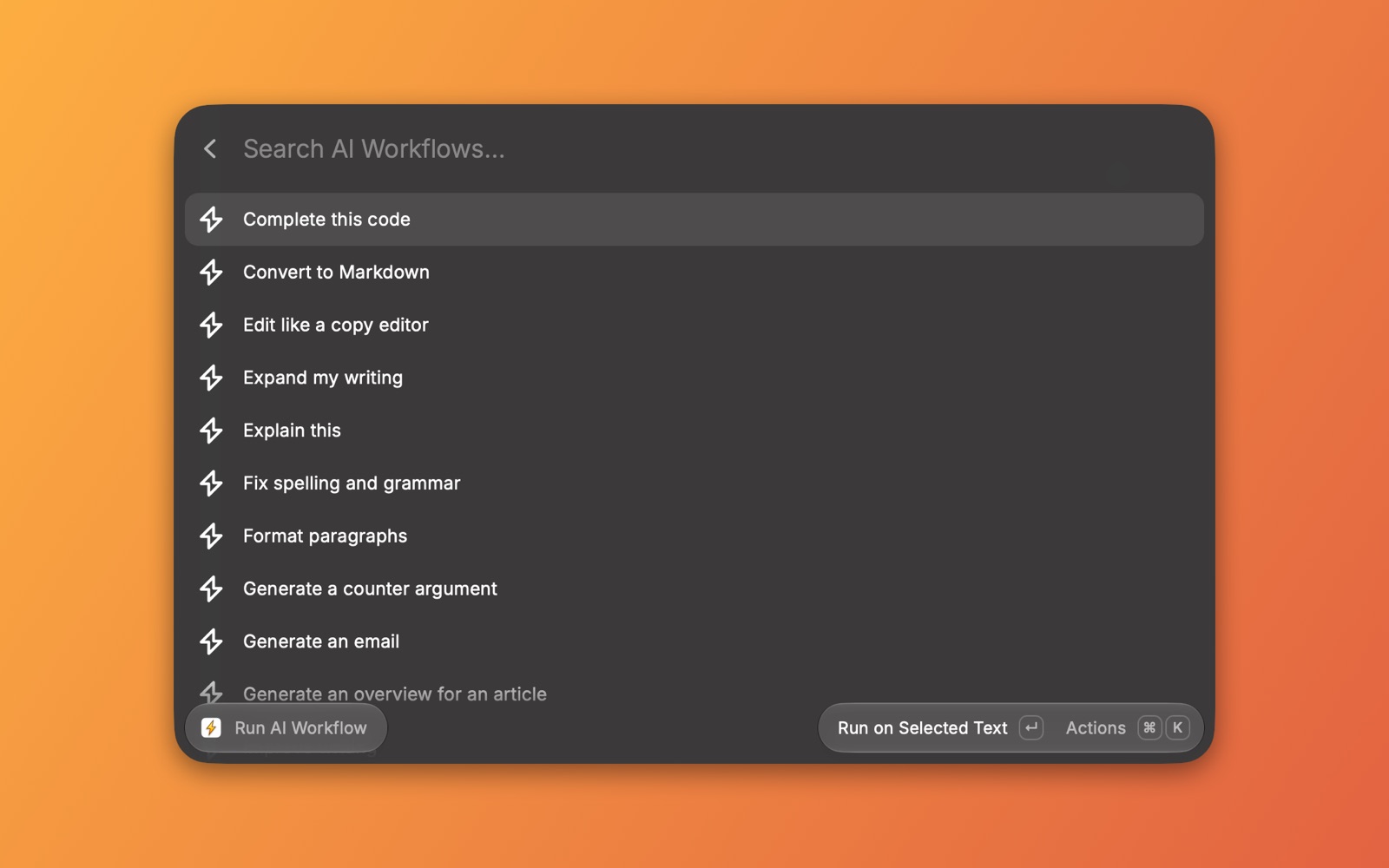
Run an AI Workflow from Raycast
Still a native Mac app
BoltAI is built with Apple's own frameworks. It has a real toolbar, tabs, and the keyboard shortcuts you expect on a Mac.
When I rebuilt the sidebar in AppKit for BoltAI 2, switching chats with the keyboard went from 112 ms to 36 ms on average, about 3× faster. With a click, it went from 112 ms to 58 ms. You feel it most in a big library.
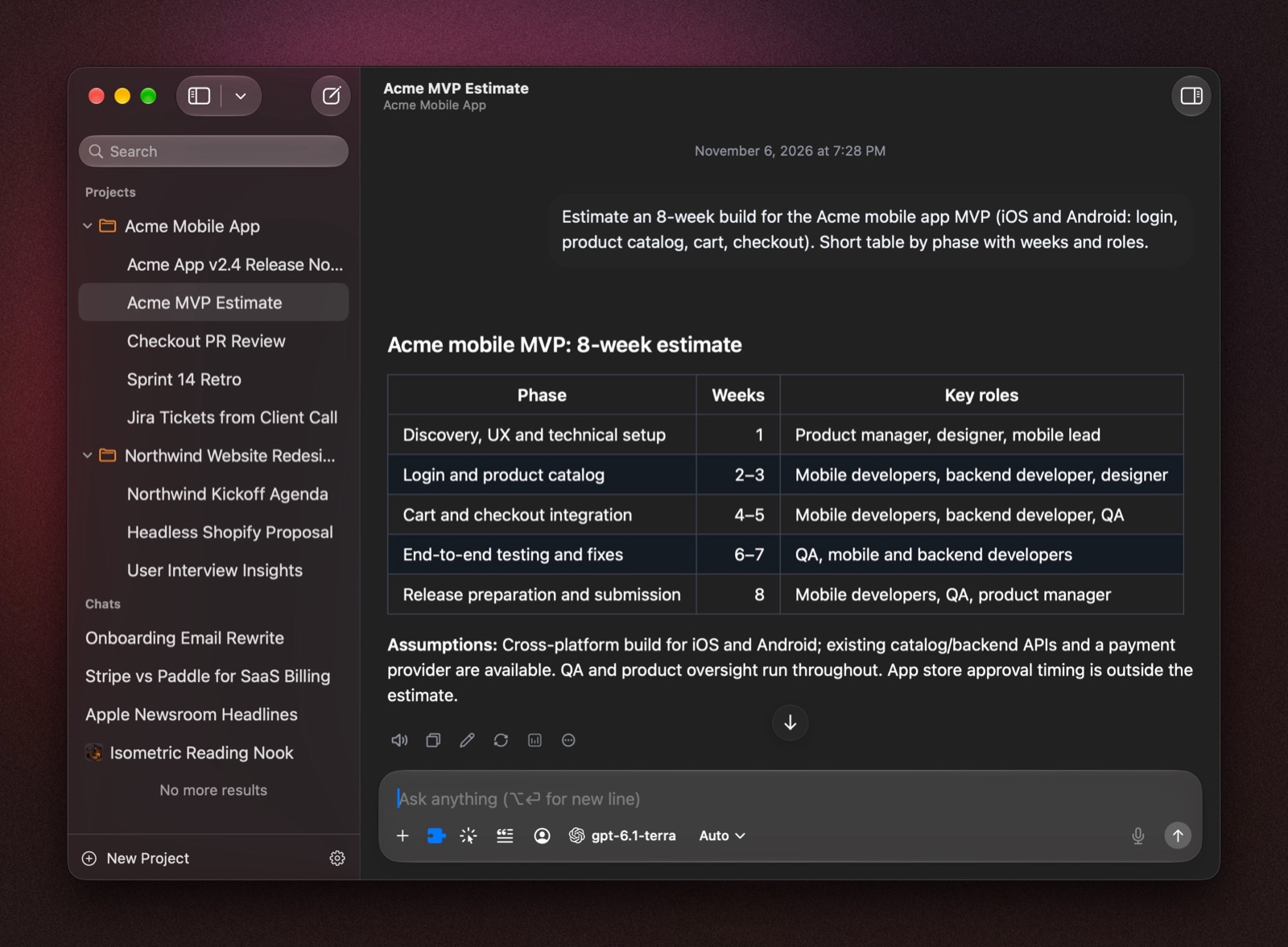
The main window
More in BoltAI 3
- Web search without an API key, with DuckDuckGo or your own SearXNG server.
- No AI provider yet? Start chatting with Apple Intelligence.
- Instant Chat Bar chats open in their own window.
- Search all of Settings from the sidebar.
- Paste images from Preview, a browser or an image chat.
See everything new in BoltAI 3
Coming from BoltAI 1?
BoltAI 2 rebuilt the app from scratch, so if you skipped it, there's more here than this post covers. The short version: a faster native app; the Instant Chat Bar (⌥ Space in any app) in place of Instant Command; Instant Dictation, which works offline with a local model; AI Workflows in place of AI Commands; ShotSolve to ask about a screenshot; Projects with your own files and folders; MCP servers and connectors for Notion, Linear and more; your ChatGPT plan through the Codex CLI; and Cloud Sync across your Macs and iPhone, on plans that include it.
To bring over your chats, prompts and providers from BoltAI 1, press ⇧⌘I (File › Import Data…).
How to get it
- On BoltAI 2 with active updates: choose BoltAI › Check for Updates.
- New to BoltAI: download it and try it for 14 days, with every feature except Cloud Sync.
- Updates expired: renew in the License Manager. During the sale, renewals are 40% off the usual renewal price.
For Black Friday, BoltAI is 40% off with code BFCM2026: Lifetime $239.40 (normally $399), Pro $58.80, Pro+ $118.80. The sale ends Dec 1. See pricing
Thank you for using BoltAI, and for all the feedback that went into this release. Tell me what you think.
Daniel
If you are new here, BoltAI is a native macOS app that allows you to access ChatGPT inside any app. Download now.
