Build 70
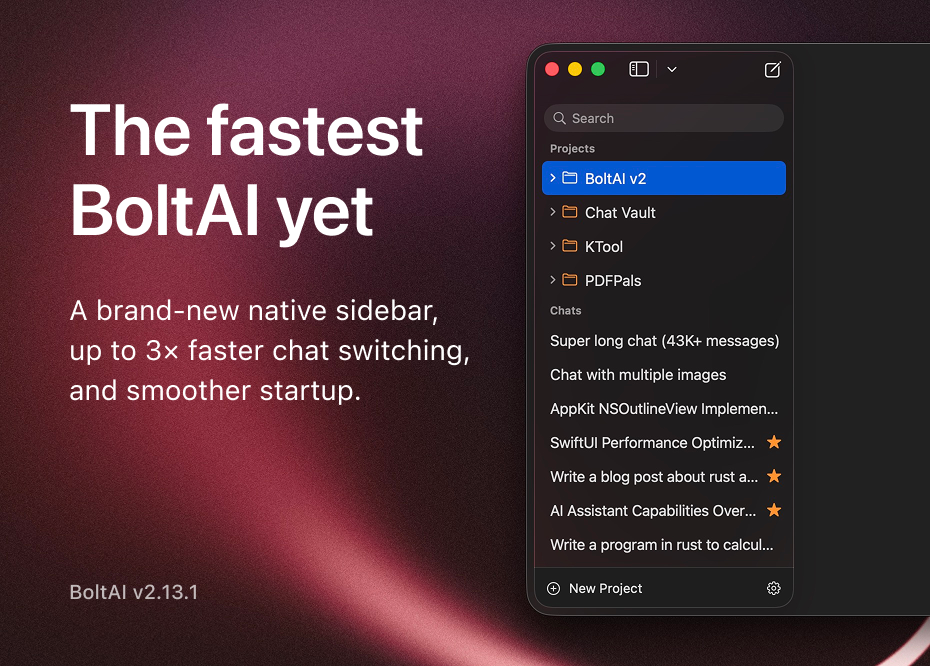
The fastest BoltAI release ever shipped. This release focuses on performance across startup, chat switching, and model loading, led by a rebuilt native sidebar that makes chat switching significantly faster and more responsive. It also adds Cloud Account linking for existing license users.
New
Added Cloud Account linking in Settings, License settings, and startup prompts for existing license users.
Added support for BoltAI tools when using GitHub Copilot provider setups.
Added a brand-new sidebar implementation built with AppKit, making chat switching up to 3x faster.
Added sidebar chat sorting options, including date updated, date created, title, ascending, and descending order.
Added rich-text-aware workflow output with a new Auto mode, so rich selections can produce styled results while Raw output stays exact.
Added a resizable workflow preview panel for larger outputs and diff previews.
Improved
Improved cold start performance so BoltAI opens and becomes ready faster.
Improved model picker responsiveness when a provider is slow, offline, or loading a large model catalog.
Reduced chat runtime overhead for providers with very large model catalogs.
Sidebar responsiveness is better when switching chats with clicks, keyboard shortcuts, and command-number navigation.
Sidebar actions such as archive, delete, favorite, move, drag and drop, and context menus continue to work more reliably in the native sidebar.
Improved sidebar row alignment and favorite-button positioning, especially for chats shown inside folders.
Improved native sidebar multi-selection feedback, including clearer selected-item counts and context-menu behavior.
Renaming chats is now more predictable: use double-click, or press Return or Enter on a selected chat.
The inline rename field now has better sizing, font matching, and alignment.
Settings startup behavior is smoother when loading model data.
Connector reliability is better when linking or switching cloud accounts.
Cloud Sync settings now show a clearer sign-in and sign-up experience for cloud accounts.
Cloud Account and Cloud Sync messaging is clearer for desktop license users.
Error messages are clearer when encrypted API-key storage is locked.
Provider switching is more reliable because incompatible conversation state is cleaned up automatically.
Improved MCP handling for more reliable tool startup, cleanup, and account switching.
Apple voice recording now uses the same inline recording UI as other voice input providers.
Workflow previews now render Auto and Rich Text output more naturally, with tighter Markdown spacing and a better layout for long previews.
Workflow preview windows now make their active and inactive state easier to see, and remember the preview size you last used.
Fixed
Fixed Featurebase MCP authentication sometimes asking users to sign in repeatedly.
Fixed chat ordering so service or configuration changes do not bump unrelated chats, while new message activity still keeps recency accurate.
Fixed cleanup issues for deleted chats inside folders.
Fixed Gemini image-preview chat models being incorrectly blocked.
Fixed function-key shortcuts such as F18 and F19 causing menu issues.
Fixed Save and Regenerate in Instant Chat targeting the wrong chat in some cases.
Fixed Instant Chat sometimes bringing the main BoltAI window forward unexpectedly.
Fixed a clipped tooltip on the first message action button.
Fixed sidebar commands sometimes applying to the wrong chat.
Fixed selecting chats from a folder detail view so the sidebar and inspector stay in sync with the opened chat.
Fixed sidebar search spacing on different macOS versions.
Fixed a startup issue where the sidebar could briefly appear empty.
Fixed inspector compatibility on macOS 13.
Fixed favorite actions and drag previews in the native sidebar.
Fixed native sidebar context-menu actions such as favorite, archive, and trash applying to stale or incorrect selection state.
Fixed archived or trashed chats remaining visually selected after they were removed from the active chat list.
Fixed inserted prompts using the wrong text color in the composer.
Fixed workflow shortcuts sometimes not registering when account or workflow data finished loading after startup.
Fixed voice transcripts sometimes enabling Send while the visible composer still looked empty.
Fixed workflow Apply: Copy to Clipboard sometimes copying raw Markdown instead of rich text when Auto output was used with a rich-text source.
Fixed Rich Text workflow previews showing raw Markdown even though the copied result was correctly formatted.