Changelog
Releases in the last 12 months
BoltAI v2.13.1
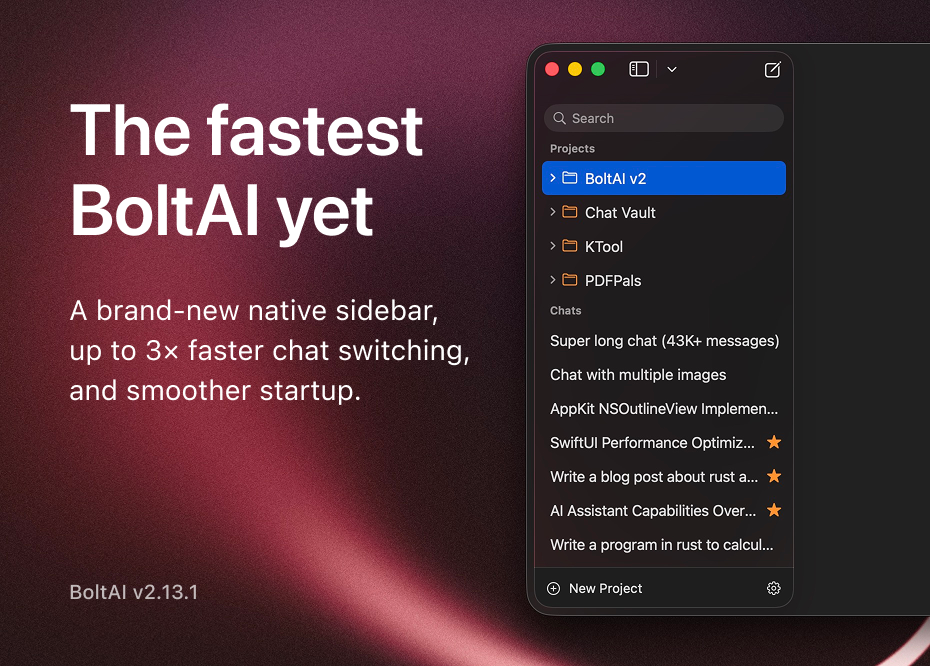
Build 70 The fastest BoltAI release ever shipped. This release focuses on performance across startup, chat switching, and model loading, led by a rebuilt native sidebar that makes chat switching significantly faster and more responsive. It also adds Cloud Account linking for existing license users.
New
- Added Cloud Account linking in Settings, License settings, and startup prompts for existing license users.
- Added support for BoltAI tools when using GitHub Copilot provider setups.
- Added a brand-new sidebar implementation built with AppKit, making chat switching up to 3x faster.
- Added sidebar chat sorting options, including date updated, date created, title, ascending, and descending order.
- Added rich-text-aware workflow output with a new Auto mode, so rich selections can produce styled results while Raw output stays exact.
- Added a resizable workflow preview panel for larger outputs and diff previews.
Improved
- Improved cold start performance so BoltAI opens and becomes ready faster.
- Improved model picker responsiveness when a provider is slow, offline, or loading a large model catalog.
- Reduced chat runtime overhead for providers with very large model catalogs.
- Sidebar responsiveness is better when switching chats with clicks, keyboard shortcuts, and command-number navigation.
- Sidebar actions such as archive, delete, favorite, move, drag and drop, and context menus continue to work more reliably in the native sidebar.
- Improved sidebar row alignment and favorite-button positioning, especially for chats shown inside folders.
- Improved native sidebar multi-selection feedback, including clearer selected-item counts and context-menu behavior.
- Renaming chats is now more predictable: use double-click, or press Return or Enter on a selected chat.
- The inline rename field now has better sizing, font matching, and alignment.
- Settings startup behavior is smoother when loading model data.
- Connector reliability is better when linking or switching cloud accounts.
- Cloud Sync settings now show a clearer sign-in and sign-up experience for cloud accounts.
- Cloud Account and Cloud Sync messaging is clearer for desktop license users.
- Error messages are clearer when encrypted API-key storage is locked.
- Provider switching is more reliable because incompatible conversation state is cleaned up automatically.
- Improved MCP handling for more reliable tool startup, cleanup, and account switching.
- Apple voice recording now uses the same inline recording UI as other voice input providers.
- Workflow previews now render Auto and Rich Text output more naturally, with tighter Markdown spacing and a better layout for long previews.
- Workflow preview windows now make their active and inactive state easier to see, and remember the preview size you last used.
Fixed
- Fixed Featurebase MCP authentication sometimes asking users to sign in repeatedly.
- Fixed chat ordering so service or configuration changes do not bump unrelated chats, while new message activity still keeps recency accurate.
- Fixed cleanup issues for deleted chats inside folders.
- Fixed Gemini image-preview chat models being incorrectly blocked.
- Fixed function-key shortcuts such as F18 and F19 causing menu issues.
- Fixed Save and Regenerate in Instant Chat targeting the wrong chat in some cases.
- Fixed Instant Chat sometimes bringing the main BoltAI window forward unexpectedly.
- Fixed a clipped tooltip on the first message action button.
- Fixed sidebar commands sometimes applying to the wrong chat.
- Fixed selecting chats from a folder detail view so the sidebar and inspector stay in sync with the opened chat.
- Fixed sidebar search spacing on different macOS versions.
- Fixed a startup issue where the sidebar could briefly appear empty.
- Fixed inspector compatibility on macOS 13.
- Fixed favorite actions and drag previews in the native sidebar.
- Fixed native sidebar context-menu actions such as favorite, archive, and trash applying to stale or incorrect selection state.
- Fixed archived or trashed chats remaining visually selected after they were removed from the active chat list.
- Fixed inserted prompts using the wrong text color in the composer.
- Fixed workflow shortcuts sometimes not registering when account or workflow data finished loading after startup.
- Fixed voice transcripts sometimes enabling Send while the visible composer still looked empty.
- Fixed workflow Apply: Copy to Clipboard sometimes copying raw Markdown instead of rich text when Auto output was used with a rich-text source.
- Fixed Rich Text workflow previews showing raw Markdown even though the copied result was correctly formatted.
BoltAI 2.12.1: Better copy, tools, and chat reliability
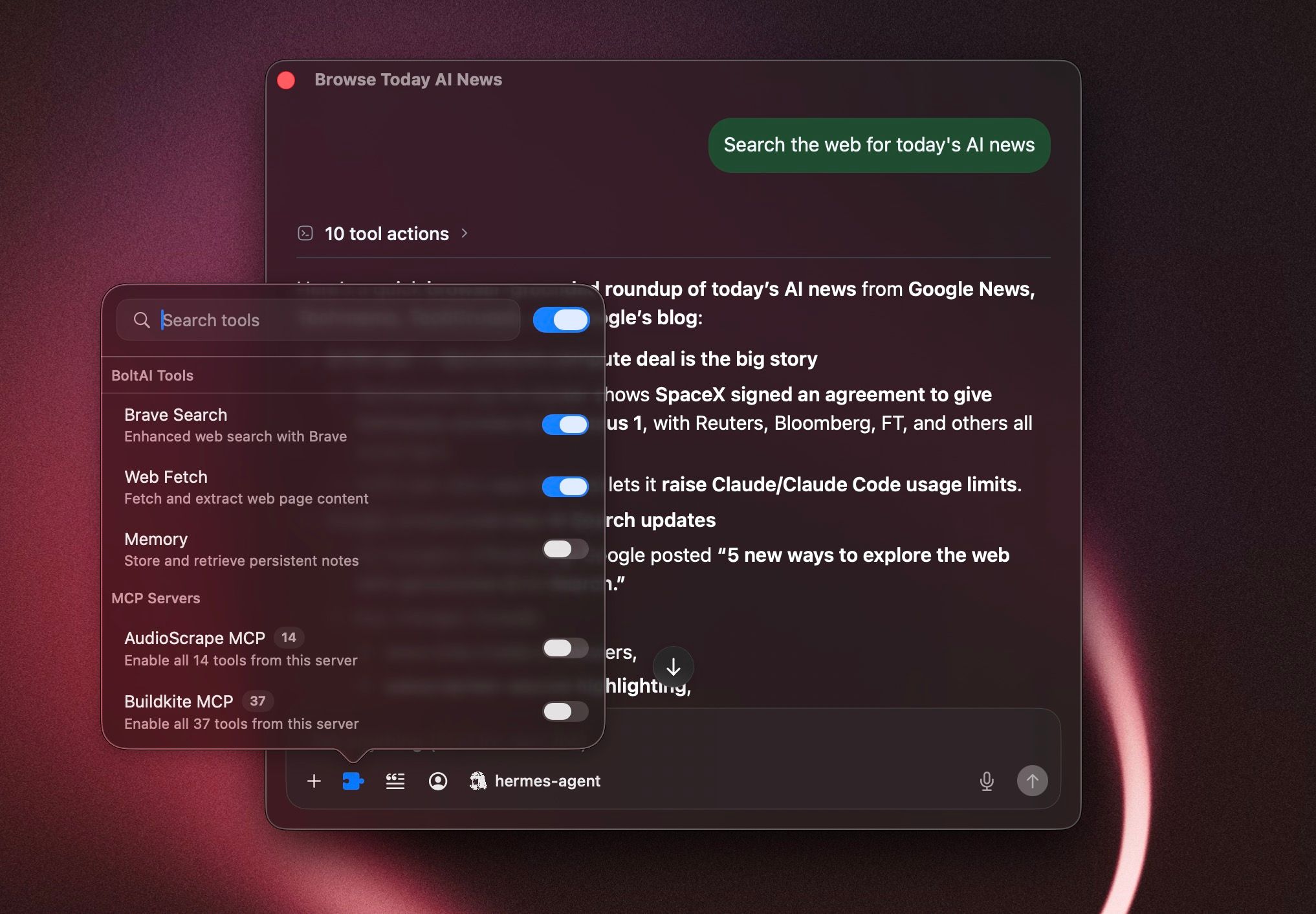
This update improves how BoltAI handles message copying, tool progress, model settings, sync, and multi-select chat actions.
New
- Copy messages as plain text Copy chat messages without Markdown formatting, useful for pasting into emails, notes, documents, and support replies.
- Turn reasoning off for more models Reasoning can now be turned off for Codex CLI and Claude Opus 4.7.
- Clearer tool progress in chats When the assistant uses tools, BoltAI now shows progress more clearly before the final answer appears.
Improved
- Tool calls and tool results now appear in a more reliable order inside assistant messages.
- Sources now appear only after the assistant finishes streaming the response.
- Multi-select sidebar actions now work better for archive, delete, favorite, move, and drag-and-drop.
- Project chats now recover better when their saved model or service is no longer available.
- Links for opening chats, signing in, license actions, and prompt actions now work more reliably on macOS.
- Claude Opus 4.7 reasoning settings now avoid options the model does not support.
Fixed
- Fixed duplicated content when copying rich text from chat messages.
- Fixed sync failures that could happen when chats, messages, and attachments were uploaded out of order.
- Fixed folder move actions when multiple chats are selected.
- Fixed the chat toolbar not updating after changing the selected agent.
- Fixed Gemini CLI chats keeping unavailable Google tools enabled from older settings.
BoltAI 2.12.0
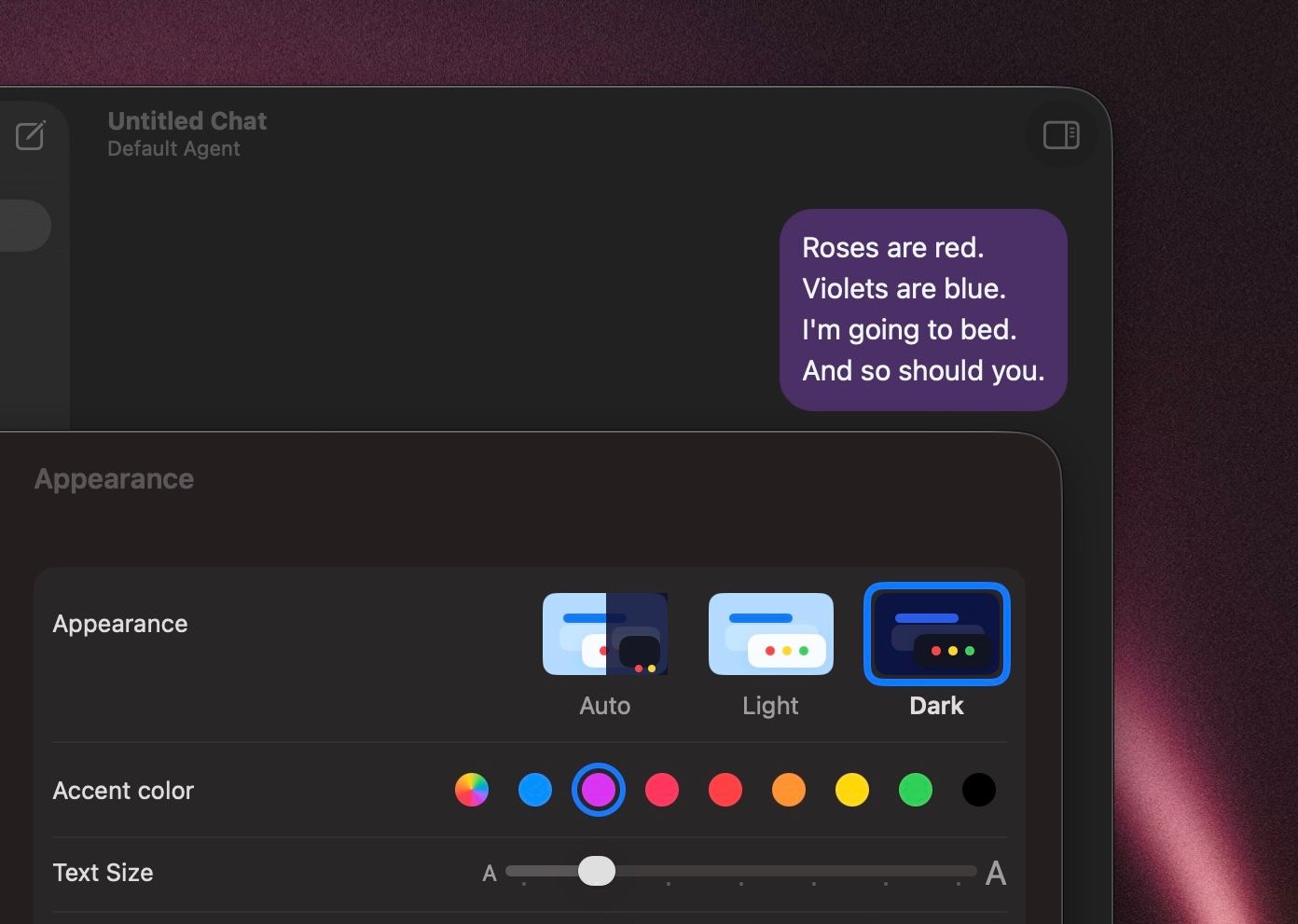
Build 67 This release is focused on appearance, readability, and UI customization. You now get more control over how BoltAI looks, how chat content is presented, and how common actions behave, along with a set of reliability improvements across providers and connectors.
New
- Added chat accent color controls so you can personalize conversation styling.
- Added Config font size in the left sidebar so you can make the sidebar easier to read.
- Added configurable message actions, including separate copy options for Markdown and rich text.
- Added styled workflow output formats for easier clipboard use.
- Added Project Instructions editing in its own dedicated window.
- Added a Continue generating flow for replies that stop because they hit a model output limit.
- Added Fastmail to the hosted connector catalog.
- Added separate Featurebase reader and writer connectors while keeping existing Featurebase connections working.
- Added support for manually entering Bedrock model IDs.
Improved
- The chat header is simpler and more stable, with agent selection moved into the composer.
- The prompt picker is easier to use, and creating a prompt now routes directly to Prompt Library.
- Chat: User preference for "Show full message" is now better supported, with improved message expansion behavior and spacing.
- BoltAI now reuses the selected Codex CLI model when generating chat titles.
- AI service setup does a better job explaining provider verification failures.
- More providers now support turning reasoning off directly from the compose controls.
- Custom OpenAI-compatible providers are more tolerant of non-standard provider responses.
- Connector startup and tool-call handling are more reliable, especially for local tools and mixed argument types.
Fixed
- Fixed regular text copy in chat so standard selection and copy works as expected again.
- Fixed Recently Deleted so project chats stay visible there, with clearer permanent deletion dates.
- Fixed long user messages not expanding correctly.
- Fixed onboarding flows where some users could not complete setup when using a custom provider.
- Fixed Bedrock profile sends that could fail when no API key was stored locally.
- Fixed model catalog refreshes that could be triggered unnecessarily after renaming a service.
- Fixed hosted connector sign-in issues that affected Fastmail OAuth registration.
- Fixed edit-message window sizing so the editor fills resized windows correctly.
- Fixed spacing for the Show full message control.
BoltAI v2.11.0
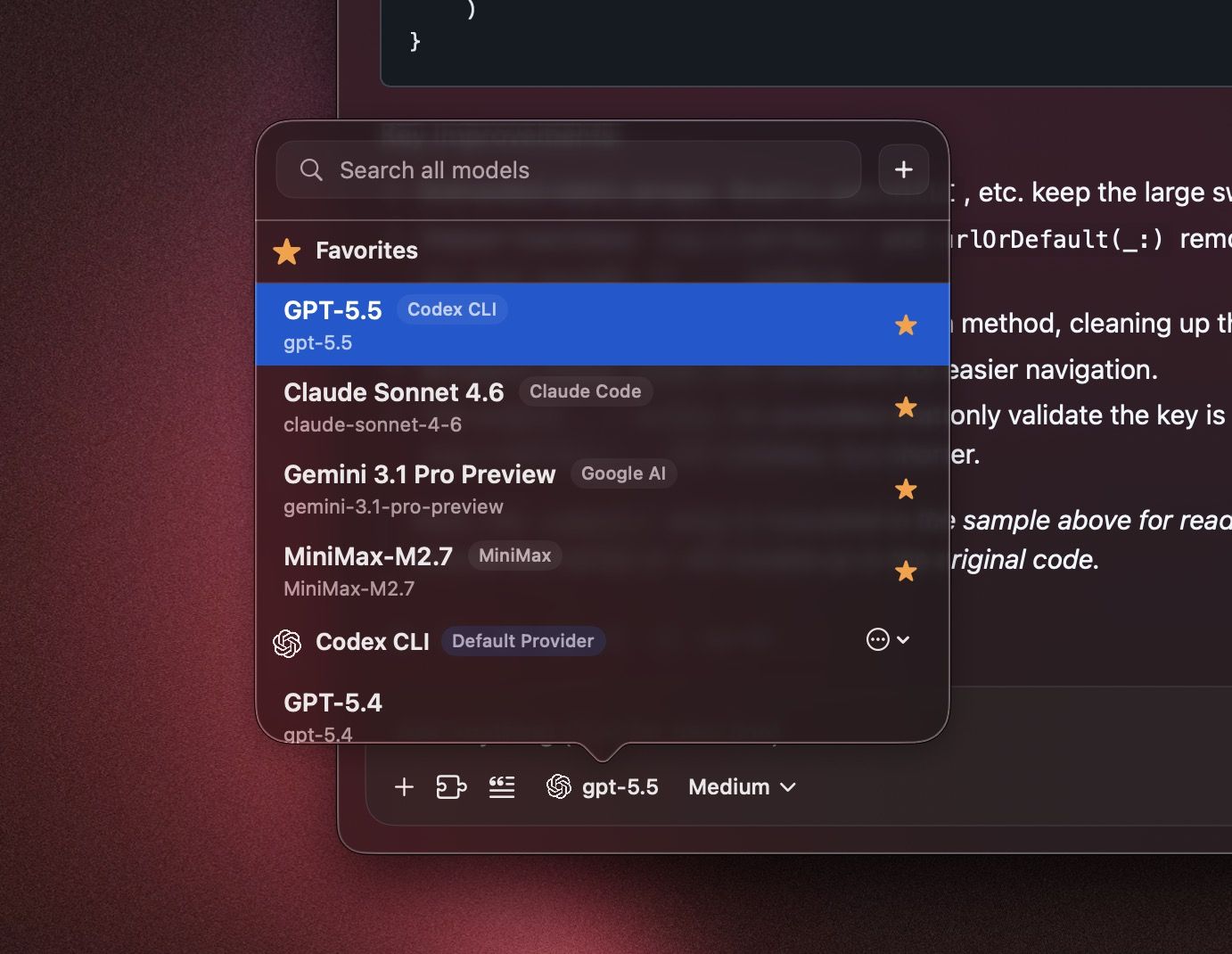
This release adds a faster model selection workflow, more capable MCP connector authentication, and a long list of reliability fixes across chat, menus, windows, and the chat renderer. New:
- Added support for searching the Model Picker across all AI providers.
- Added support for favoriting and starring models so they stay near the top of the selection list.
- Added support for MCP connectors that authenticate with custom headers.
- Added configurable maximum tool-call limits.
- Added chat and message date visibility in the conversation UI.
- Added support for merging a Project System Prompt with an Agent or Chat System Prompt when both are set.
- Added chat duplication.
- Added GPT-5.5 support for Codex.
Improved:
- MCP OAuth sign-in and reconnect flows are more reliable, with better recovery for remote connectors and local confidential-client setups.
- The Model Picker works better with large provider catalogs, with faster search, clearer recovery, and better Settings fallbacks.
- Streaming reasoning output is easier to follow while a response is still generating.
- Provider model management and hosted model catalog refresh are more reliable.
- The chat title area is more stable on macOS 15.
- The instant chat bar has better placement and more reliable deep-link behavior.
- BoltAI does a better job remembering the size and position of the instant chat bar and main app window.
- MFA enrollment now renders QR codes natively for a more reliable setup flow.
- Time-sensitive web search prompts now use clearer UTC date context.
Fixed:
- Fixed crashes that could happen while closing the chat view or menu bar UI.
- Fixed crashes that could happen while the chat input view was being torn down.
- Fixed a crash when global shortcuts open chat windows.
- Fixed UI freezes and race conditions when creating new chats on older macOS versions.
- Fixed a crash when the permission overlay hides after returning from System Settings.
- Fixed crashes that could happen when using the Workflow Palette repeatedly.
- Fixed crashes that could happen when opening Settings, Multi-Agent Chat, or instant chat from menus.
- Fixed crashes that could happen when copying selected text from the chat view.
- Fixed the inspector tab layout crash.
- Fixed custom provider model fetch crashes.
- Fixed instant chat draft reset behavior.
- Fixed instant chat deep links.
- Fixed duplicate main window cleanup on macOS 15.
- Fixed AI service key cache race conditions.
- Fixed a crash when viewing Recently Deleted items from Project view.
- Fixed Instant Chat not resetting correctly when it was set to reset immediately.
- Fixed compose thinking popover crashes when using custom configuration actions.
BoltAI v2.10.0

New in 2.10.0
- New: Added new providers including Hermes Agent, OpenClaw, OpenCode, MiniMax, Xiaomi MiMo, and Z.AI.
- New: Added MiniMax media tools in chat, including image generation, image edit, music generation, and lyrics generation.
- New: Added MiniMax text-to-speech support with voice picker.
- New: Added xAI text-to-speech support with streaming playback.
- New: Markdown soft line breaks now render correctly in chat.
Improved
- Improved: Local and OpenAI-compatible provider setup is more capable, including LM Studio API key support and better OpenCode password auth handling.
- Improved: Generated media attachments are more reliable, with better saving and rendering for images and audio in chat.
- Improved: Strengthened CryptoV2 key handling and clarified provider error messaging.
- Improved: Hermes Agent responses can now include tool URL citations in chat.
- Improved: The update menu now gives clearer status for available and downloaded updates, with quicker install actions.
- Improved: OpenCode chat binding and provider-default handling are more stable, especially around new chats and clearing defaults.
- Improved: Improved sidebar and chat switching performance.
- Improved: Sync is more resilient to referential integrity and dependency repair issues.
Fixed
- Fixed: Fixed attachment photo ingestion and compose attachment preparation races.
- Fixed: Fixed XLSX extraction for workbook metadata relationships.
- Fixed: Fixed a bug when using Anthropic or Claude Code providers with native skills.
- Fixed: Fixed duplicate main window reopen behavior on macOS 15.
BoltAI v2.9.2
build 63
- Fixed: Compose undo and redo now behave much more naturally, with native AppKit-style undo grouping in the prompt editor.
- Fixed: Drafts, cursor position, and undo history are now isolated per chat, so switching chats no longer mixes compose state together.
- Fixed: Prompt-library inserts and other programmatic text inserts now undo and redo like normal editor edits.
- Fixed: Attachment sending is more reliable in compose, including locked-send retry flows and chat switching with unsent attachments.
- Improved: Workflow, system prompt, and title prompt editors now save more safely, keep the sheet open on failure, and show clearer inline errors.
- Fixed: Local instant dictation now uses the correct OpenAI-compatible
/v1endpoints for Ollama and LM Studio. - Improved: Reply-finished notifications now include a sound again.
BoltAI v2.9.1
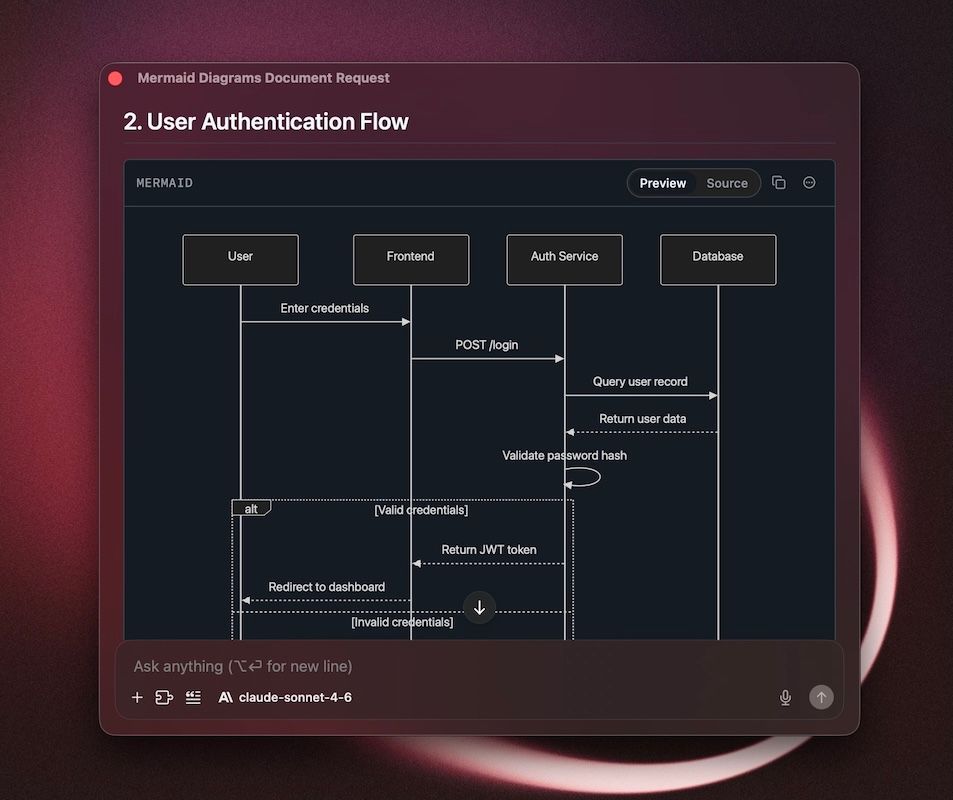
build 62 This is one of the biggest BoltAI updates yet, with a major wave of improvements across security, sync, provider setup, model handling, voice workflows, and overall app polish.
- New: Added multi-factor authentication support on macOS.
- New: Added Anthropic prompt caching controls.
- New: Added native instant dictation cleanup.
- New: Added Mermaid preview support in the renderer.
- Improved: Authentication is more reliable, with stronger sign-in, reauth, and account recovery flows.
- Improved: Cloud Sync is more reliable around expired sessions, reauthentication, and MFA-required states.
- Improved: Amazon Bedrock setup is more capable, with better service configuration, credential resolution, and profile handling.
- Improved: Azure OpenAI setup is smoother, with custom base URLs, deployment URL import, lighter validation, and better API version recovery.
- Improved: Codex and Claude Code authentication recovery is more reliable.
- Improved: Claude Code now supports Claude Sonnet 4.6.
- Improved: AI service management is more capable, with bulk editing, better model catalog persistence, and improved preservation of enabled model selections.
- Improved: Voice workflows are more polished, with better recent dictation handling.
- Improved: Security is stronger, with libsodium-based crypto defaults and more robust licensing and JWT validation.
- Fixed: Fixed Anthropic prompt caching metadata propagation and usage reporting.
- Fixed: Fixed XLSX extraction and handling of unsupported legacy Office files during import.
- Fixed: Fixed sidebar chat rename issues.
- Fixed: Fixed prompt title generation behavior.
- Fixed: Fixed live chat web fetch source persistence.
- Fixed: Fixed catalog sync identity collision issues.
- Fixed: Fixed auth-related race conditions during initial sync and reauthentication.
- Improved: Cloud Sync pause and recovery messaging is clearer, with better guidance for retrying sync, exporting diagnostics, and understanding when local data is safe.
- Improved: Local diagnostics exports now skip Setapp auth diagnostics in standalone builds.
- Improved: Sidebar folder hierarchy spacing is more consistent and easier to scan.
- Improved: Added a new chat toolbar title rendering mode flag for continued title bar refinement on macOS.
- Improved: Developer settings now provide clearer local data wipe warnings and safer recovery guidance when Cloud Sync is unavailable.
- Improved: BoltAI now uses the published Anthropic fork package with improved stream handling coverage.
- Fixed: Fixed Cloud Sync ordering for title generation provider settings to avoid foreign key sync failures.
- Fixed: Deleting an AI service now clears related custom title generation settings before sync.
- Fixed: Foreign key sync validation failures are now reported to Sentry with safer diagnostic metadata so we can investigate issues faster.
BoltAI v2.8.5
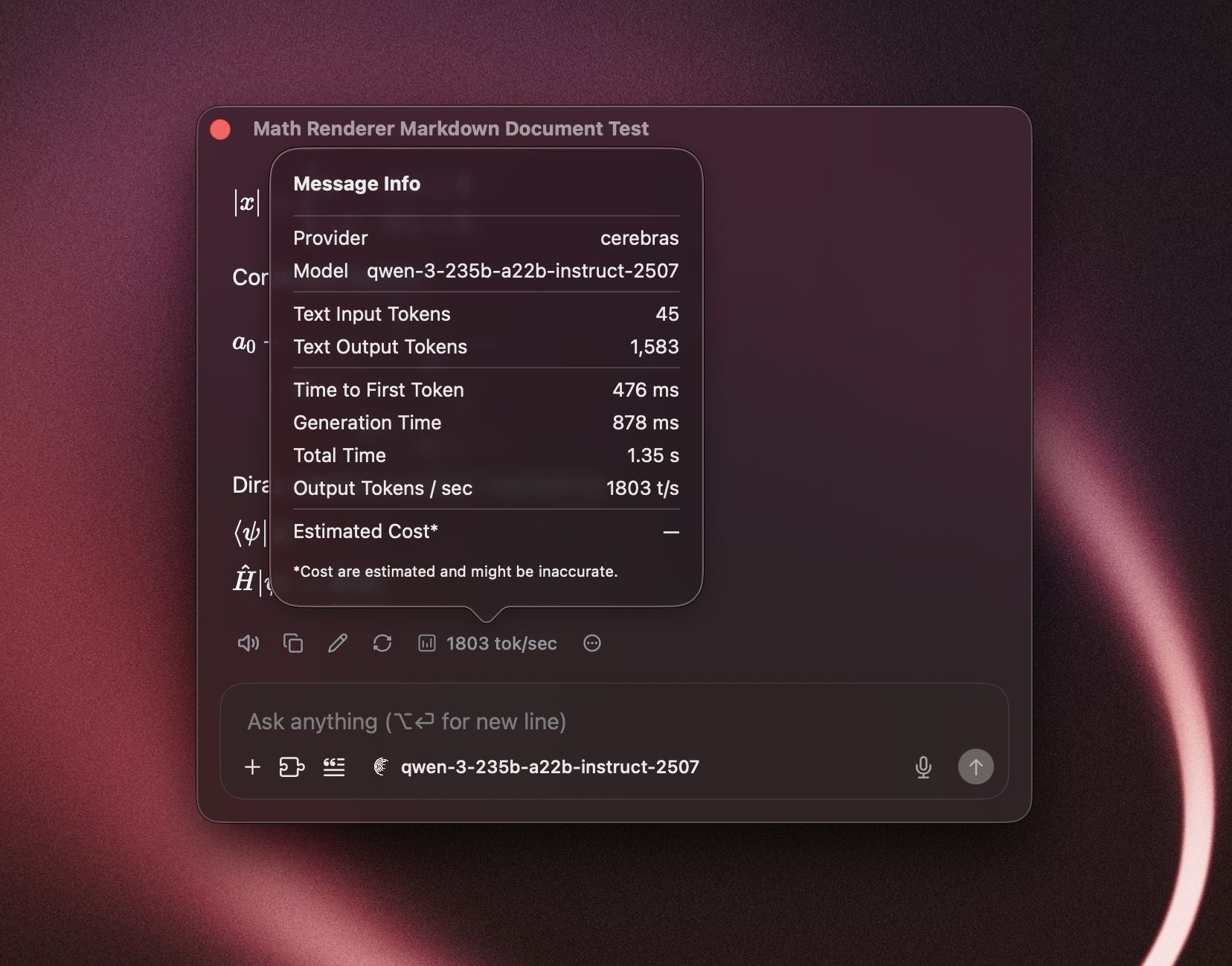
Build 60
- Added: Message diagnostics now show response timing and generation speed, with support for always showing tokens-per-second when enabled in settings.
- Improved: Chat images are easier to work with. Saving, dragging, and download flows are more reliable, including images and files generated from in-chat data URLs.
- Improved: Code blocks and SVG outputs now render more cleanly, with better save actions for generated artifacts.
- Improved: Stored API keys now use stronger encryption settings by default, and Security settings can prompt you to upgrade older encrypted services.
- Fixed: Cloud Sync is more reliable around session refresh, first-sync recovery, and chat paging, reducing cases where sync retries could fail or leave partial local state behind.
- Fixed: Improved OpenRouter web plugin availability so compatible tools are offered more consistently in chat.
- Fixed: Inline math parsing is now safer by default and correctly follows your rendering setting, reducing accidental math formatting in normal text.
- Improved: License refresh now provides clearer feedback in Settings and the upgrade flow.
BoltAI 2.8.4
Build 59
- Improved: Added support for a new title generation mode "prompt": automatically generate a title using user prompt - no LLM involved.
- Fixed: Improved reliability for Claude and Anthropic chats that use Search, so older conversations are less likely to fail when you continue the thread later.
- Fixed: Resolved an issue where some Claude and Anthropic chats with tool use could get stuck with tool-history errors instead of continuing normally.
- Improved: Better Cloud Sync reliability for attachments in some edge cases.
BoltAI 2.8.3
Build 58
- Added: Support for
GPT-5.4in Codex CLI. - Added: Support for
Claude Opus 4.6in Claude Code. - Improved: Better Claude Code integration in provider setup and model selection.
- Improved: Cloud Sync now pauses more safely when your app version is too old or local data integrity issues are detected, helping prevent bad sync states.
- Fixed: Better handling for speech-to-text model IDs in OpenAI-compatible flows.
- Fixed: Attempted a fix for an issue reported by some users on older macOS versions where creating a new chat could produce duplicate
New Chatentries.
