Changelog
Releases in the last 12 months
March 2nd, 2026
BoltAI 2.8.2
Build 57
- Fixed: Resolved an issue where some assistant replies could appear blank after image or tool-assisted responses.
- Fixed: Improved MCP server reliability after idle periods, so reconnecting and resuming tool use is more reliable.
- Improved: Better recovery when your session expires, with a smoother sign-in flow and less disruption.
- Improved: Better performance and reliability for longer Anthropic conversations.
February 24th, 2026
BoltAI v2.8.1
- Improved: Thinking/replay history stability. Inference history is now sanitized to remove incompatible reasoning signature metadata, reducing replay and streaming errors.
- Fixed: New chat default agent tool persistence. New root chats now preserve your default agent tools even when the provider is not yet resolved during chat creation.
February 21st, 2026
BoltAI v2.8.0
NewImprovedFixed
Build 55
- New: GPT-5.3 Codex Spark support. Added GPT-5.3 Codex Spark and improved default model prioritization.
- New: Search plugin parity. Added first-class Perplexity and You.com search tool support.
- New: Sidebar toggle shortcut. Added a quick sidebar toggle command with
Cmd+Option+S. - New: Starter pack install flow. Improved onboarding with a clearer starter pack setup path.
- Improved: Parallel chat streaming stability. Isolated streaming state per chat session to prevent cross-session interference.
- Improved: Anthropic/Bedrock behavior. Better Claude thinking handling and cleaner Anthropic control behavior.
- Improved: Workflow palette behavior. Active-screen behavior now works correctly while preserving per-screen restore.
- Fixed: Voice recording/transcription UX. Polished compose recording overlay and transcription error presentation.
- Fixed: Low-res App Icon. Fixed the issue with the low-res default app icon.
- Fixed: Grok/xAI request reliability. Migrated xAI/Grok flows to the Responses tool path to avoid deprecated endpoint failures.
- New: xAI native tools. Added xAI Web Search, X Search, and Code Execution tool wiring in chat transport and tool builders.
- Improved: Tool execution rendering. Provider-executed tool calls now render more consistently, including xAI code-execution outputs and fallback detail views.
- Improved: Provider error diagnostics. Error messages now include richer raw-response context and clearer guidance for deprecated xAI Live Search behavior.
- Fixed: Settings sync edge cases. Hardened account/plugin settings sync with stricter canonical fetch checks, safer merge-upsert fallback paths, and duplicate-row intent preservation.
- Fixed: Sidebar multi-select move action. Context-menu move operations now correctly apply to the current multi-selection and disable invalid destinations.
February 7th, 2026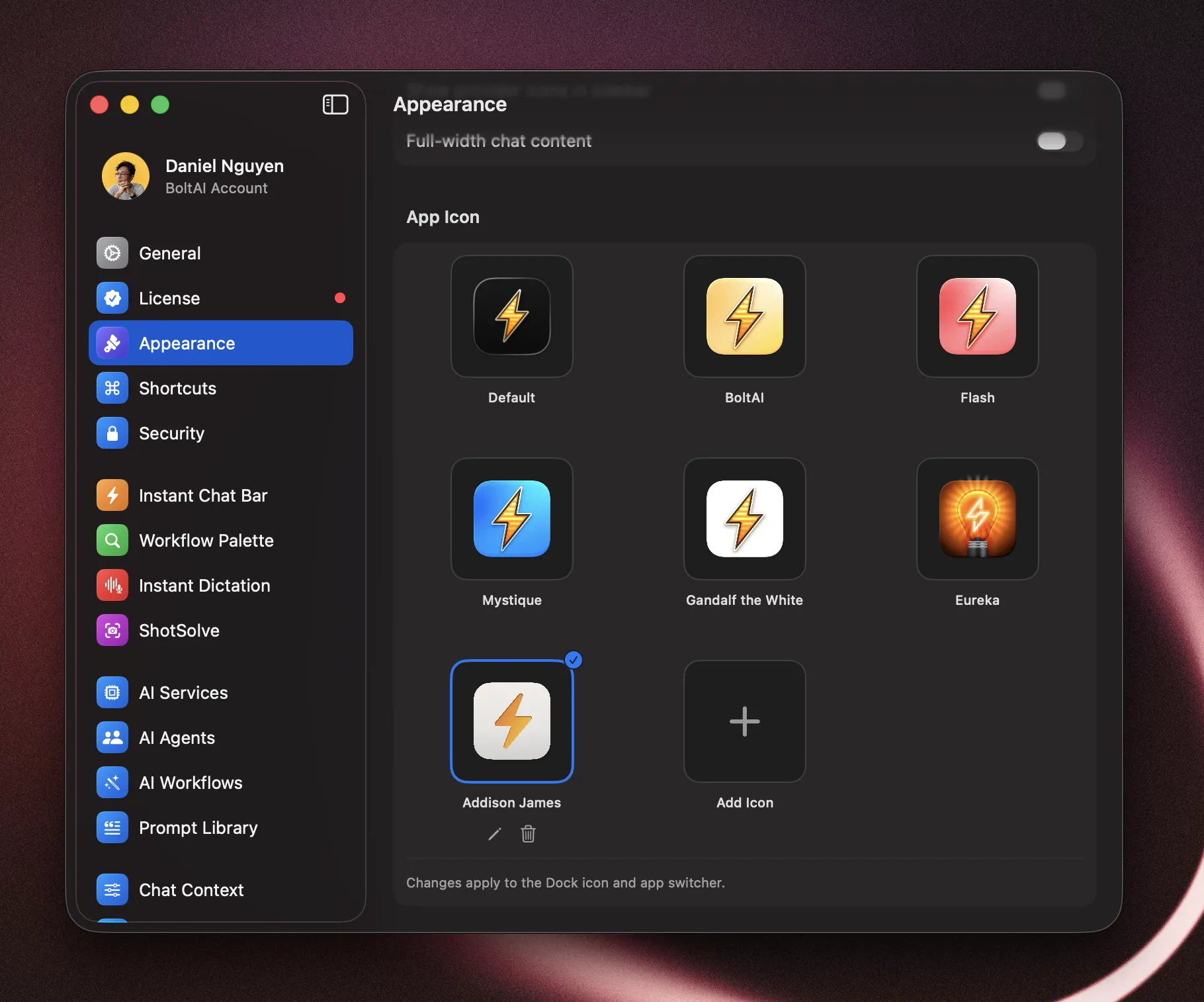
BoltAI 2.7.0
Build 54
- New: Appearance controls. Added dedicated appearance settings so you can customize app icon style, sidebar presentation, and chat content width for a more personalized layout.
- New: Chats inside folders in the sidebar. You can now browse and navigate chats directly inside folders from the sidebar for faster project-based navigation.
- New: GPT-5.3 Codex support (Codex CLI Provider). Added support for the latest GPT-5.3 Codex model.
- New: Title generation controls. Added title generation settings and improved per-chat custom configuration behavior. Go to Settings > General to customize.
- New: Expanded import/export. Improved import and export reliability, with better support for ChatGPT imports and expanded coverage for Claude, Grok, Mistral, and BoltAI v2 data.
- Cloud sync improvements. Sync is now more reliable for large histories and after signing in from Settings.
- Cloud sync status clarity. Improved sync progress and error messaging so it is easier to understand what is happening.
- Navigation and responsiveness improvements. Smoother sidebar behavior, better chat-in-folder navigation, and reduced settings-related UI churn.
- Fixed: Edit/regenerate reload issue. Resolved a case where edit-regenerate could trigger unnecessary chat reloads.
- Fixed: Sync retry edge cases. Fixed several sync scenarios that could fail, stall, or require repeated retries.
- Fixed: Sync consistency edge cases. Resolved issues that could occasionally leave cloud sync in an inconsistent state.
February 3rd, 2026
BoltAI v2.6.3
Fixed
- Chat reliability improvements. Fixes a regression affecting some chats after switching providers.
- MCP OAuth redirect improvements. Adds an Ahrefs-specific OAuth redirect override for smoother auth.
January 29th, 2026
BoltAI v2.6.2
NewImproved
- NEW: Moonshot AI provider support. Added Moonshot AI as a selectable provider.
- Codex tools, fixed. ChatGPT OAuth (Codex) now supports custom function tools (including MCP) with correct tool-call streaming and input/output handling.
- Codex tool-call safety. Prevents mismatched tool-call state when switching providers by dropping unsupported tool parts before requests.
- Remote MCP reconnects on launch. OAuth MCP servers now reconnect reliably at startup, with proper auth-mode persistence for custom connectors.
- OAuth token lookup improvements. Better matching and handling for MCP OAuth tokens to reduce unnecessary re-auth prompts.
- Enter-to-send preference. Added a composer option to send on Enter.
- Code fence inline detection fix. Improved inline detection for fenced code blocks.
January 23rd, 2026
BoltAI v2.6.1
NewImproved
- Gemini CLI web search. Added provider-native Google Search support with search indicators and source citations, so Gemini CLI results display grounded links in the UI.
- Codex web search compatibility. Added tool wiring and status indicators so Codex CLI web search shows up cleanly in chat output.
- Provider-aware tool UI. Tool selection now adapts to Gemini CLI (search-only) and clarifies Copilot tool availability.
- Improved math rendering. Better inline LaTeX handling for typical model output using single-dollar delimiters.
January 15th, 2026
BoltAI v2.6.0
NewImproved
- New: Google Vertex AI. Configure service account JSON, project, and location to use Vertex models.
- New: Chat export/import. Export a chat to JSON or import it from the app menu.
- Improved: Tool history reliability. Anthropic server tools are sanitized to avoid malformed replay.
- Improved: Usage reporting. OpenAI‑compatible providers now surface usage metrics consistently.
- Fixed: Gemini image follow‑ups. Thought signatures are preserved and images are normalized for multi‑turn use.
- Fixed: Native tool availability. Provider-native tools now show up correctly (including new Vertex tools), with tool selection remaining per-chat.
January 12th, 2026
BoltAI v2.5.1
New
- Fixed: MCP OAuth sign‑in. Authentication now works even when Safari isn’t your default browser.
- Improved: Tool defaults. The “Enable tools by default” toggle lives inside Manage Plugins and disables the list when off.
- Improved: Agent tool behavior. Switching a chat to an agent with tools now enables tool use for that chat.
January 7th, 2026
BoltAI v2.5.0
NewFixed
- New: Usage metrics & estimated cost. Messages now store usage details, with chat-level totals for quick tracking.
- New: Workflow ordering & usage stats. Sort workflows, track usage count, and see recent activity.
- New: Thinking controls for Anthropic, Google, and OpenRouter. Configure effort/level and budgets across account, folder, agent, and chat.
- New: Codex CLI improvements. GPT-5.2 Codex models added and verification is more flexible with clearer warnings.
- New: Workflow/agent/prompt duplication. Quickly duplicate items and start a New Chat (Copy Configuration) from the sidebar.
- New: Advanced message editor. Expanded editing tools for message content and structure.
- Improved: Attachments. Higher file size limit for licensed users with clearer limits and errors.
- Fixed: Custom base URL model fetch. Model list requests now honor custom base URLs during provider setup.
- Fixed: Context policy updates. Switching profiles now keeps context policy changes consistent.
- Fixed: Markdown list indentation. Lists render with correct spacing and nesting.
- Fixed: Web renderer stability. Prevented a crash when extracting message text for rendering.
